
Every day, millions of passwords are cracked around the world. That is no surprise once you see how much credential data circulates online and how often people still rely on weak passwords. A single weak password can be enough to compromise an entire network. In 2020, a default login of “kiosk/kiosk” at a London local authority opened the door to a major ransomware attack. More recently, a 158-year-old British firm was forced to close after attackers simply guessed one employee’s password. Whether you are a CISO, an IT manager or a penetration tester, it is critical to understand how password cracking actually works and how to defend your organisation against it. In this deep dive we look at both the technical and the practical sides: how passwords are stored and cracked, where things go wrong in the real world, and what you can do to prevent it.
How Passwords Are Stored (and Why Never in Plain Text)
Modern systems do not store passwords as readable text. They store them in an encrypted form. When you set a password, the system runs it through a cryptographic hash function, a one-way transformation, and only that hash is stored. For example, the simple password "thriller" becomes something like 9360404e4f35ac2090...f20d28e3 after hashing, a long string that cannot be reversed back to the original. When you log in, you enter "thriller" again; the system hashes that input and compares the result with the stored hash. Only if they match exactly is the password correct. This way the real password never needs to sit on disk, and even an administrator or attacker who gets hold of the database cannot read the passwords directly.
This approach prevents the catastrophic leaks of the past, when passwords were sometimes still kept in plain text. If a website or application ever shows you your password in readable form (via email, say, or through an admin who can see every user’s password), that is an enormous red flag in 2025. Fortunately, virtually all serious services use hashing, often combined with extra protection such as salting, to keep passwords far more secure.
What Is a Salt and Why Does It Matter?
A salt is a random value added to a password before it is hashed. It ensures that identical passwords still produce different hashes for each account. Without a salt, everyone using the password "Thriller", for instance, would share exactly the same hash value. For an attacker, that means a single cracked hash would immediately be valid across multiple accounts. It also enabled so-called rainbow table attacks: attackers pre-computed enormous tables of common passwords and their hashes, so that after a breach they could look up vast numbers of passwords almost instantly.
Using a unique salt per user defeats this. Imagine two people share the password "thriller". The system can automatically generate the string "thrillerwqiQAW" for one and "thrillerritPON" for the other (where the added fragments are the salts) and then hash each one. Both users still simply type "thriller" at login, but the stored hashes are completely different. This means an attacker has to crack each hash separately, even though the underlying password was the same. Salts add a valuable extra layer of protection.
Note: not every system uses salts. Windows Active Directory, for example, uses the NTLM hash for passwords, which contains no salt. That means if two employees choose the same password, their NTLM hash is identical. For an attacker that is convenient: crack the password once and you gain access to both accounts. It underlines how important it is to use unique, strong passwords, and ideally to move away from static passwords altogether for critical accounts.
Brute-Force Attacks (Trying Every Combination)
In a brute-force attack, hackers try every possible character combination until the right one is found. In theory this guarantees that any password will eventually fall; in practice the number of possibilities grows exponentially as the password gets longer. There are roughly 70 possible characters per position (26 lowercase letters, 26 uppercase, 10 digits and a handful of special symbols). A one-character password would be found in an instant, but a 10-character password has 70^10 ≈ 2.8×10^18 combinations, nearly three quintillion. An average PC processor would need to grind away for centuries (an estimated 500,000 years) to exhaust them all.
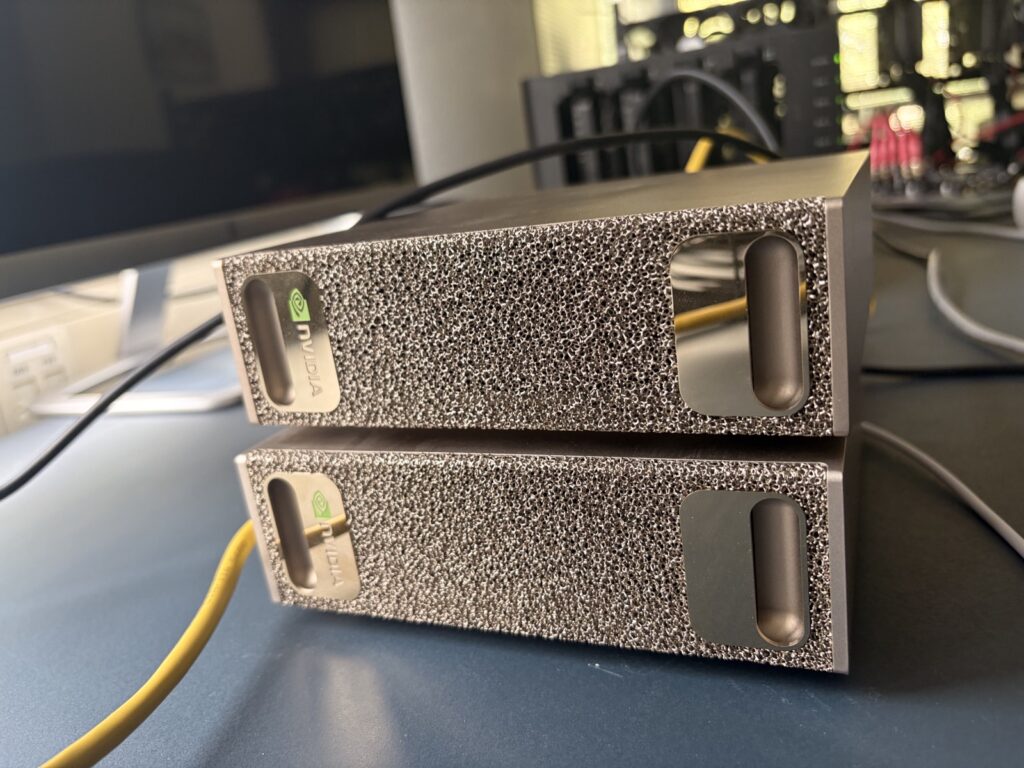
Yet brute-force attacks are anything but fictional. Thanks to modern hardware and clever optimisation, attackers can guess dramatically faster than “an average CPU”. Graphics cards (GPUs) in particular excel at calculating hashes in parallel. A single high-end GPU such as the NVIDIA RTX 4090 can attempt around 288.5 billion NTLM hashes per second. A cluster of dozens of GPUs reaches trillions of hashes per second. What was once unthinkable, billions of attempts per second, is now reality for a well-resourced attacker. Hive Systems publishes an annual table estimating how long brute-forcing takes with current technology. It shows that simple, short passwords can now be cracked in mere seconds, while very long and complex passphrases remain practically uncrackable within a human lifetime:
Research shows that short passwords can be cracked extremely quickly, while long, complex passphrases take astronomically longer (source: Hive Systems table, 2024). Simple four-letter passwords are cracked “instantly”, five lowercase letters in around three seconds, but a passphrase of 18 random letters would theoretically require 350 billion years.
The figures above assume every possible character must be tried. In reality, attackers often avoid a full brute-force by working more intelligently (more on that below). Even so, brute-force remains an important weapon: for short passwords, or when the structure is roughly known, an optimised brute-force can produce results very quickly. Brute-force is usually applied to offline harvested hashes (for example from a database leak or an Active Directory dump). The key difference is that online attempts (such as logging in to an account over the internet) almost always trigger lockouts after a few failed tries. With offline cracking, once an attacker holds the hash, there are no limits. They can keep trying indefinitely without anyone being locked out or any alarm going off.
Dictionary Attacks
Because brute-forcing long passwords can take a long time even with GPUs, attackers often opt for a dictionary attack. Here a list of common passwords and word combinations is tried. Instead of testing every possible random string, the attacker limits themselves to, say, the ten million most-used passwords. The cracker software hashes these wordlists and compares them with the target hash. When there is a match, the password has been found.
Dictionary attacks are so effective because users around the world choose strikingly similar passwords. Well-known examples such as 123456, qwerty or Welcome01 sit high on the lists, but football clubs, season-plus-year combinations, personal names and simple patterns also appear alarmingly often. On top of that, attackers now hold vast databases of real passwords from previous breaches. Think of compilations such as RockYou2021 with 8.4 billion leaked passwords, which grew further in 2024 to almost 10 billion unique passwords (RockYou2024). With lists of billions of entries to hand, attackers can cleverly cover a very large slice of the “password space” without literally brute-forcing every combination. Research confirms that a common or predictable password can be cracked in a matter of hours with dictionary methods, or even seconds if it sits near the top of the list. If your password is genuinely unique and complex, the chance of it being guessed by a dictionary attack is small.
A variant of this is credential stuffing: attackers use combinations of leaked usernames and passwords to log in to other services. If someone has reused their corporate login elsewhere and that service was ever breached, an attacker can test at the click of a button whether the same combination also unlocks the corporate environment. This is effectively a dictionary attack at the user level, and a compelling reason never to reuse passwords.
Hybrid Attacks and Masks: Smart Guessing with Patterns
Not every password sits ready-made in a list, and not every password is fully random; many fall somewhere in between. People often create passwords built from recognisable words or names with a few variations, for example Winter2023! (season + year + exclamation mark) or Samantha@123 (a name with an at-sign and digits). This is where hybrid attacks come in: combinations of dictionary strategy and brute-force.
A widely used technique is the mask attack. Here a particular pattern is assumed, so that only combinations within that pattern are brute-forced. A simple example: you suspect a password consists of a six-letter name followed by a four-digit year (such as Name1234). Instead of running through every character, you limit the attempt to [A-Z][a-z][a-z][a-z][a-z][a-z][0-9][0-9][0-9][0-9], a fraction of the total search space. Hashcat (a leading password-cracking tool) shows just how much this matters: the password “Julia1984” (one capital + name + four digits) has a search space of 62^9 ≈ 1.35×10^16 combinations if you leave every position free, which would take years on a fast rig. But by constraining the pattern (capital, then four lowercase letters, then four digits) the space shrinks to roughly 2.37×10^11 possibilities, something that in this case can be worked through in about 40 minutes at 100 million hashes per second. 40 minutes versus four years for the same password, purely by exploiting human pattern use.
Hybrid attacks therefore combine wordlists with such masks and rules. An attacker might take a wordlist of thousands of common base words and automatically try variations on them: first letter capitalised, a digit or symbol appended, common substitutions (e→3, a→@, i→1, and so on). This approach is exceptionally effective because it mirrors how people actually choose passwords. From leaked password statistics we know that a capital usually comes first, digits at the end, and that certain years or special characters are firm favourites. Penetration testers (such as our team at Rootsec) make full use of this: we combine extensive lists of names and words with smart masks and rule sets. Rather than blindly brute-forcing every 14-character combination (impossible within a normal engagement window), we target plausible pattern categories. The result is that in almost every penetration test we crack one or more passwords, even in organisations with seemingly strict policies such as a 14-character minimum. Those long passwords frequently turn out to be quiet combinations of familiar words or patterns, guessable within a reasonable time using a hybrid approach.
The Weakest Link: Common Password Problems in the Real World
In practice we find that there is almost always a weak password or account situation somewhere that puts the whole network at risk. Below are some classic weak links we encounter regularly as penetration testers:
-
Stale service accounts. Accounts for services or applications whose password has not changed in years. They are often set to “password never expires” and slip past policy entirely. An attacker who captures such a hash has all the time in the world to crack it, and the password is frequently simple too (for example Welcome2020 left in place for five years).
-
Default passwords never changed. It happens surprisingly often that software or equipment is in use with the factory password still active. A vendor account or admin console still using “admin/admin”, or a tool account with username
kioskand passwordkiosk. These default combinations are publicly known and are the first thing attackers try. -
Forgotten guest and test accounts. Accounts created at some point for testing or external parties and never cleaned up, for example a temporary user for a consultant who no longer logs in. If the password was never changed or was something simple like Test123, it remains a lurking hazard.
-
Accounts outside the password manager. Many organisations use a password manager or vault (such as CyberArk) for their administrator and service-account passwords. But there is invariably one account that does not (yet) fall under that secure umbrella. Think of an application account not yet migrated, or one where integration proved difficult; these often stay on a static, human-chosen password. One such forgotten account can be the weak link.
-
Personal passwords that are too easy. Despite policy, a user almost always slips through with a password that just meets the complexity requirements yet is still easy to guess. For example Welcome@123 or Winter2023!, which satisfy length and special-character rules but are incredibly predictable. Attackers hold lists of exactly these patterns and try them first.
-
Password reuse by employees. Another risk is staff reusing their corporate password from elsewhere. If their email and password were ever leaked at another site, an attacker can try them against the corporate account via credential stuffing. You do not even have to crack anything; the password was already known. According to the Verizon Data Breach Investigations Report, stolen and leaked credentials account for a large share of breach causes every year.
In short, there is always something. A well-designed password policy can be undone by one forgotten account or one person who picks a simple password. For an attacker that is enough to get in and then often escalate privileges further. The Hackney incident illustrates this clearly: a dormant account from 2005 with username kiosk and the matching password kiosk brought down an entire network years later.
How Do You Protect Your Organisation Against Password Cracking?
Given all of the above it might feel like a losing battle, but there is a great deal organisations can (and must) do to reduce the risk dramatically. Some essential measures:
-
Use strong, unique passwords. It sounds obvious, but it remains rule number one. Enforce a sufficient minimum length (preferably 12 characters or more) and actively encourage genuinely random passwords or passphrase combinations. A password manager for employees is indispensable here, offering convenience without weak passwords.
-
Eliminate predictability. Where possible, avoid requirements that invite predictable patterns (such as mandatory special characters and digits and capitals, which produces a flood of Welcome@2023-style choices). Favour long passphrases that are easier to remember but harder to guess (four random words, for instance). If complexity rules are unavoidable, teach users how to satisfy them creatively without obvious substitutions.
-
Bring every account under management. Inventory all accounts in the environment, including service accounts, legacy systems, tool accounts and guest users, and place them under a managed password system. For service accounts, something like CyberArk or the built-in Windows Managed Service Accounts is the answer, so that passwords rotate regularly and are not reused by people.
-
Remove or change default credentials immediately. New software, hardware or cloud service going live? Check straight away for default logins and change them before the system goes into production. Factory passwords are an open secret; some malware automatically scans networks for devices with default credentials. Do not leave that open door in your network.
-
Monitor for weak or leaked passwords. Consider technical measures such as a banned-password list in Active Directory (for example via Azure AD Password Protection) to block known common passwords. You can also proactively compare hashes of new passwords against databases of leaked passwords (such as HaveIBeenPwned); if there is a match, you know the user is at risk and can require a reset.
-
Multi-factor authentication (MFA). MFA is one of the best lines of defence if a password is guessed or stolen anyway. With a second factor (an authenticator app or hardware token, say), an attacker with only the password still cannot log in to your systems. This is especially critical for remote access (VPN, RDP, webmail and the like). In the Hackney case the attackers got in via an exposed RDP port; MFA could have prevented that even with a weak password.
-
Security awareness and training. Human error is often at the root. Train staff never to reuse passwords and to report suspicious activity. Make clear why certain password rules exist. A culture in which everyone understands their role in security helps prevent negligence, such as never changing that one password.
-
Test and audit regularly. Do not wait for a real attacker to find the weak spots. Have a penetration test or internal audit carried out periodically with a focus on password security. Specialist testers (such as Rootsec) can attempt to obtain and crack hashes, so you discover in a controlled setting which accounts are exposed. The results give you the insight to refine your policy precisely and close those weak links before a real attacker strikes.
Passwords have been the key to our IT environments for decades, and that makes them a favourite target for attackers. Hackers keep developing more advanced methods, from GPU-cracking clusters to AI-driven pattern analysis, to crack them. On the defensive side we are seeing a shift towards passwordless authentication (biometrics or physical security keys, for example) to reduce reliance on the human password. Your organisation may not be there yet, but you can make major gains right now by getting the basics right. Understand how attackers operate, learn from real-world cases, and take proactive measures. That is how you stop your business becoming the next statistic in the list of successful attacks. As one security expert aptly put it: “We need organisations to take steps to secure their systems.” Time and again we see breaches that would never have happened if these kinds of simple mistakes had been avoided. So make sure your password policy is not an empty formality but a living practice. It can mean the difference between an attack deflected and a costly breach. Security begins with choosing the right password, but it stands or falls on maintaining the right discipline around it. Stay one step ahead of the attacker.
For organisations across the UAE and the wider GCC, where rapid digitisation makes credentials a high-value target, a structured security assessment is the fastest way to find and fix these weak links before someone else does, aligned with frameworks such as NESA/SIA, Dubai DESC (ISR) and the UAE PDPL.
Want to know which of your accounts an attacker could crack today? Put your defences to the test with a Rootsec penetration test. Book a free consultation.